
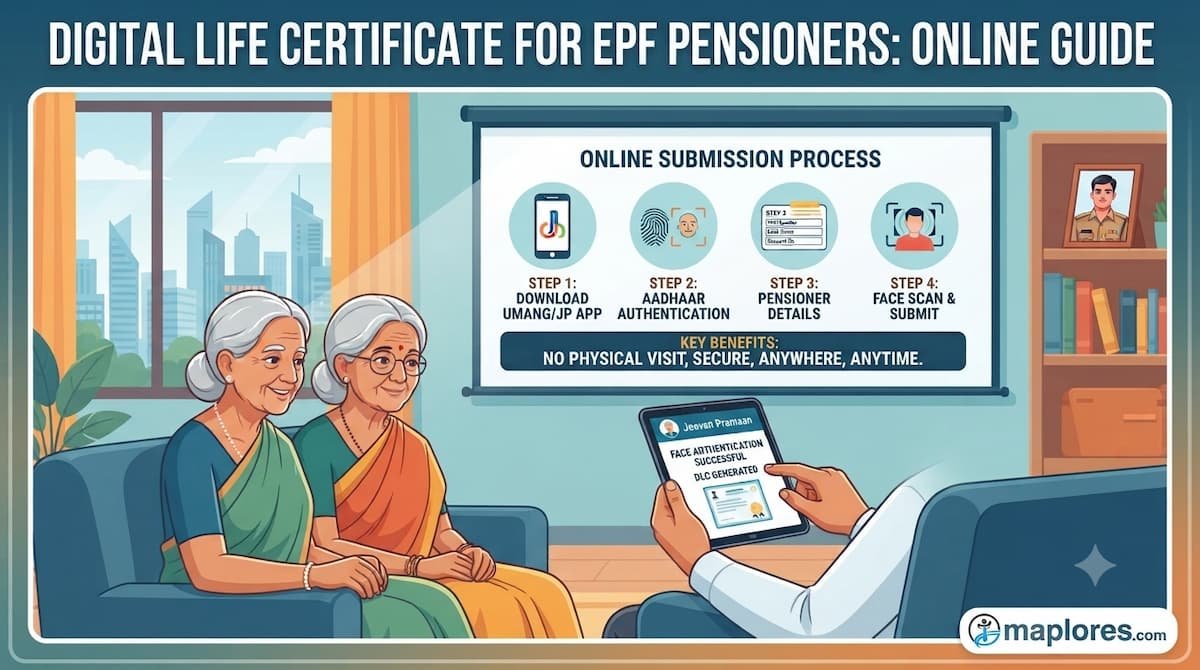
How to Submit Digital Life Certificate for EPF Pensioners Online Using a Mobile Phone
The Employees’ Pension Scheme (EPS-95), managed by the Employees’ Provident Fund Organisation (EPFO), provides monthly pension benefits to eligible retired employees in India.
For pensioners, submitting a Life Certificate is an important requirement for the continuation of pension payments. To make this process more convenient, pensioners can use the Jeevan Pramaan Digital Life Certificate facility through Aadhaar-based face authentication using an Android smartphone.
This facility allows eligible pensioners to complete the authentication process digitally without the need for physical submission of the Life Certificate, as per the applicable Jeevan Pramaan procedure.
What Is a Digital Life Certificate (Jeevan Pramaan)?
Jeevan Pramaan is a digital Life Certificate service that uses Aadhaar-based biometric authentication to verify the existence of a pensioner.
Through face authentication, pensioners can submit their Digital Life Certificate (DLC) using a compatible smartphone.
For EPS-95 pensioners, this facility can make the annual Life Certificate submission process easier, particularly for senior citizens who may find travelling to banks or offices difficult.
Requirements Before Starting
Before submitting the Digital Life Certificate, keep the following ready:
- Android smartphone with internet connectivity.
- Pensioner’s Aadhaar number.
- Pensioner’s mobile number.
- PPO (Pension Payment Order) number.
- Pension bank account details.
- Jeevan Pramaan application.
- AadhaarFaceRD application.
Download the applications from Google Play Store.
Step-by-Step Process to Submit Digital Life Certificate Online
Step 1: Install Jeevan Pramaan and AadhaarFaceRD
Download and install the Jeevan Pramaan application and AadhaarFaceRD application on your Android smartphone.
Open the Jeevan Pramaan application to begin the process.
Step 2: Complete One-Time Operator Registration
Before pensioner identification, operator registration must be completed.
- Enter the operator’s Aadhaar number, mobile number and email address.
- Verify the OTP received on the mobile number or email.
- Enter the operator’s name and provide consent.
- Complete face authentication when prompted.
Step 3: Complete Pensioner Identification
After operator registration:
- Enter the pensioner’s Aadhaar number.
- Enter the pensioner’s mobile number.
- Email address is optional.
- Tap Submit.
- Enter the OTP received on the mobile number.
After successful OTP verification, the pensioner’s details screen will appear.
Step 4: Verify Pension Details
Carefully check the pension information displayed in the application.
The details include:
- Pension Type: EPS-95
- Organisation Type: EPFO
- Sanctioning Authority: EPFO
- Disbursing Agency: Bank
- Agency: Individual Bank Account
- PPO Number
- Pension Bank Account Number
Select the correct PPO number if it is already available. If it is not listed, choose the option to add a new pension PPO.
Step 5: Review and Submit the Details
Review the pension information carefully before proceeding.
If any information is incorrect, use the Back option to make corrections. If everything is correct, tick both declarations and tap Submit.
Step 6: Complete Face Authentication
Select Face RD when prompted.
- Provide the required consent.
- Tap Scan.
- Keep your face straight and your eyes open.
- Follow the instructions displayed on the mobile screen.
- Blink when prompted.
After successful face authentication, the Digital Life Certificate will be generated.
What Happens After Successful Submission?
Once authentication is completed successfully:
- A Digital Life Certificate (DLC) is generated.
- A unique Pramaan-ID is issued for each PPO.
- An SMS containing the Pramaan-ID and download link is sent to the pensioner’s mobile number.
- The certificate is automatically forwarded to the selected Pension Disbursing Agency.
As per the Jeevan Pramaan user manual, physical submission of the certificate is not required after successful online submission through this process.
Important Points for EPF Pensioners
- Ensure that the Aadhaar number and pension details are entered correctly.
- Verify the PPO number and bank account information before submission.
- Keep the registered mobile number accessible for OTP verification.
- Follow all face authentication instructions carefully.
- Save the Pramaan-ID and SMS confirmation for future reference.
- If authentication or submission fails, seek assistance from the concerned EPFO office or pension helpdesk.
Conclusion
The Jeevan Pramaan Digital Life Certificate facility is a useful digital initiative for EPS-95 pensioners. With Aadhaar-based face authentication, eligible pensioners can complete the Life Certificate submission process using an Android smartphone.
Awareness of this facility can help retired employees and senior citizens save time, reduce unnecessary travel and access pension-related services more conveniently.
Share this information with EPF pensioners, retired employees and their family members to help spread awareness about digital pension services.
For more HR updates, EPFO notifications, labour law information, statutory compliance guidance and employment-related articles, visit Maplores.com.
Official Resources:
- Jeevan Pramaan: https://jeevanpramaan.gov.in/
- EPFO: https://www.epfindia.gov.in/
- EPS Information: https://www.epfindia.gov.in/site_en/Employees_Pension_Scheme.php